How the Hierarchy Feature Enables Structured Volunteer Management
Creating position/event for a hierarchy level:
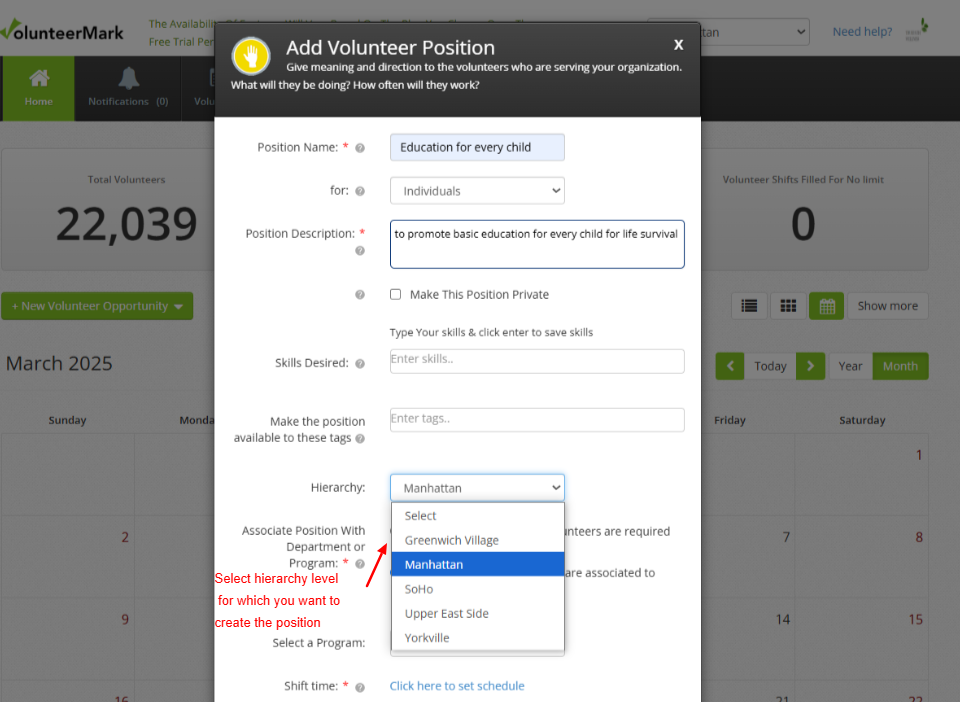
After logging as a coordinator, i can create a position for my level and all the lower levels.
While creating the position, i can select the level for which the position is created.
In our example, coordinator is from Manhattan level. So, coordinator can select level as Manhattan or any below level while creating the position.
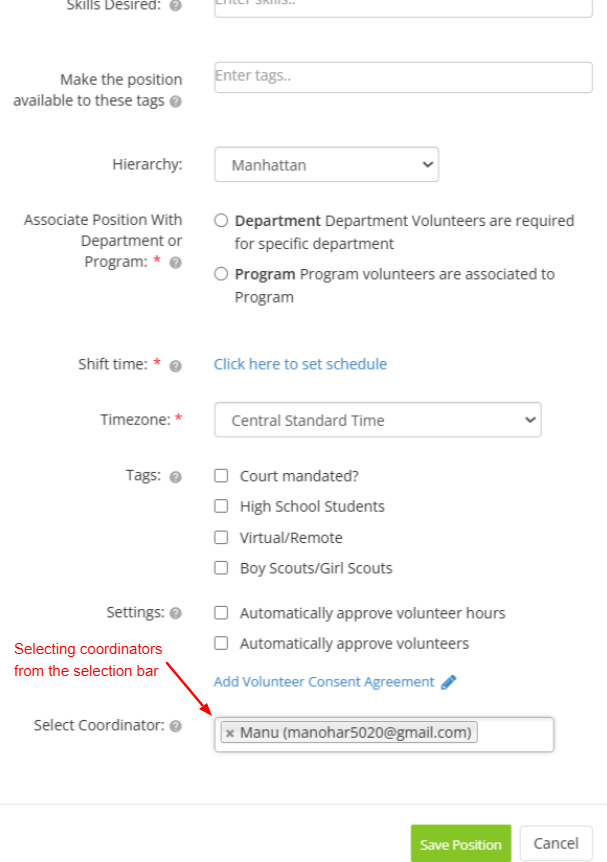
While creating the position, coordinators can be selected from selection dropdown who would handle the position related to approval for the volunteer signups and volunteer hours.
The selection dropdown will display a list of coordinators from the hierarchy level where the position is created, as well as from all higher levels up to the logged-in user's hierarchy level.