How the Hierarchy Feature Enables Structured Volunteer Management
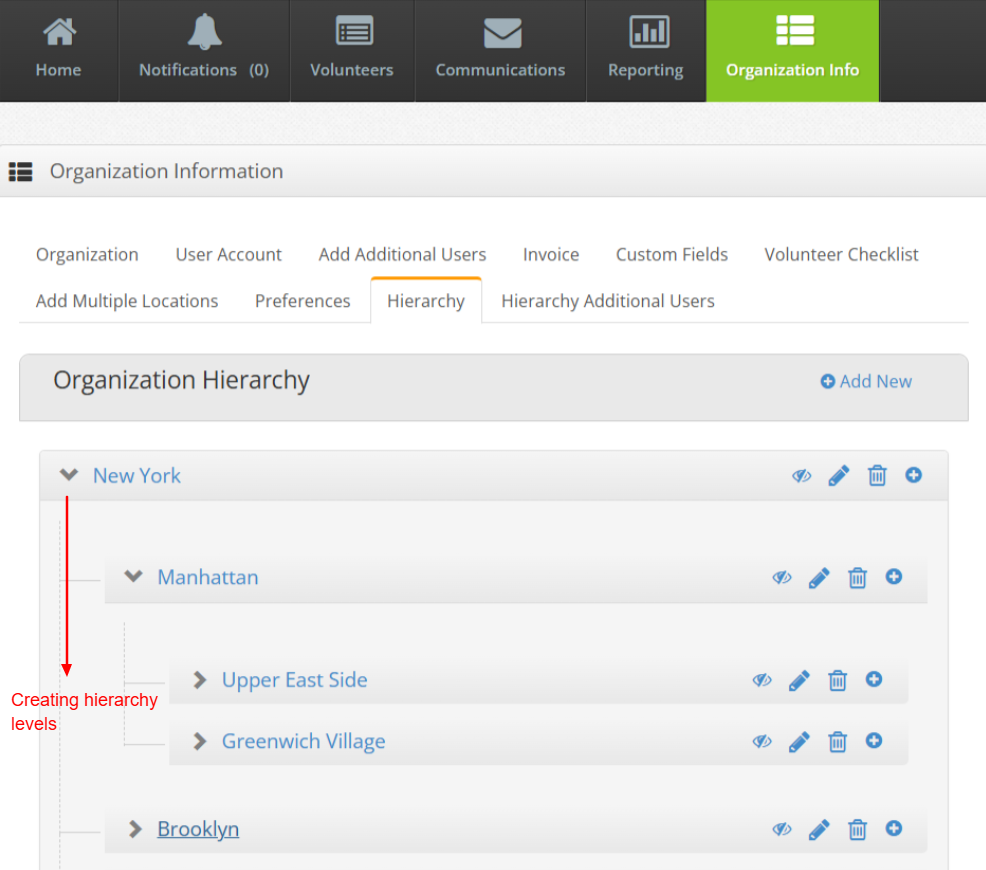
2. Second step is creating hierarchy structure levels. At the top level, a level can be established, followed by the creation of sub-levels below each level. Furthermore, sub-sub-levels can be created beneath each sub-level, allowing for the creation of any number of levels.
Example of the organizational hierarchy:
Level 1
New York
Level 2
Manhattan
Level 3
Upper East Side
Level 4
Yorkville
Greenwich Village
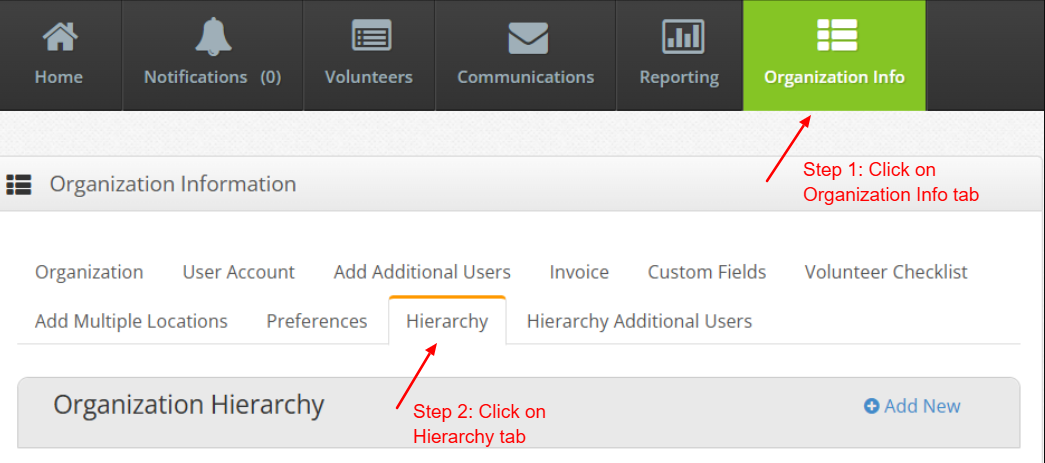
Step 1: Click on the ‘Organization Info’ tab
Step 2: Click on the ‘Hierarchy’ tab
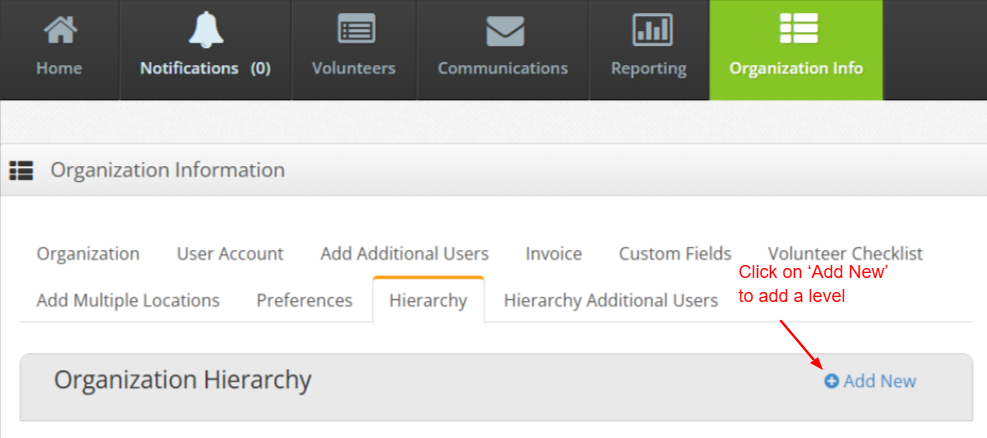
Step 3: Click on ‘Add New’to add a level
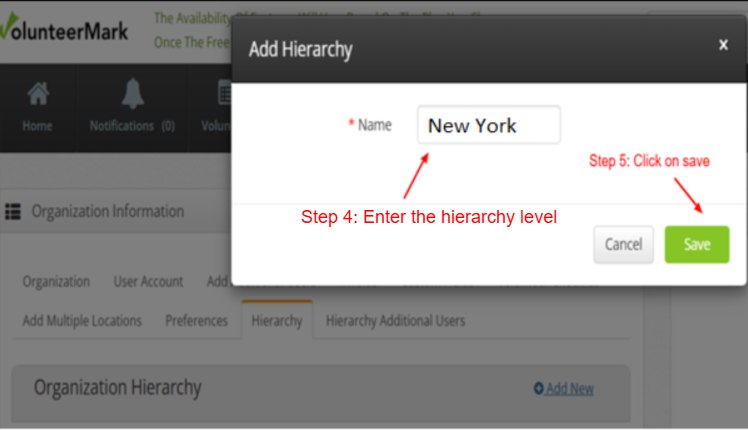
Step 4: Enter the new level name
Step 5: Click on ‘save’ to save the level
Click on the ‘Edit’ icon if the level has to be renamed
Click on the ‘Delete’ icon to delete the level
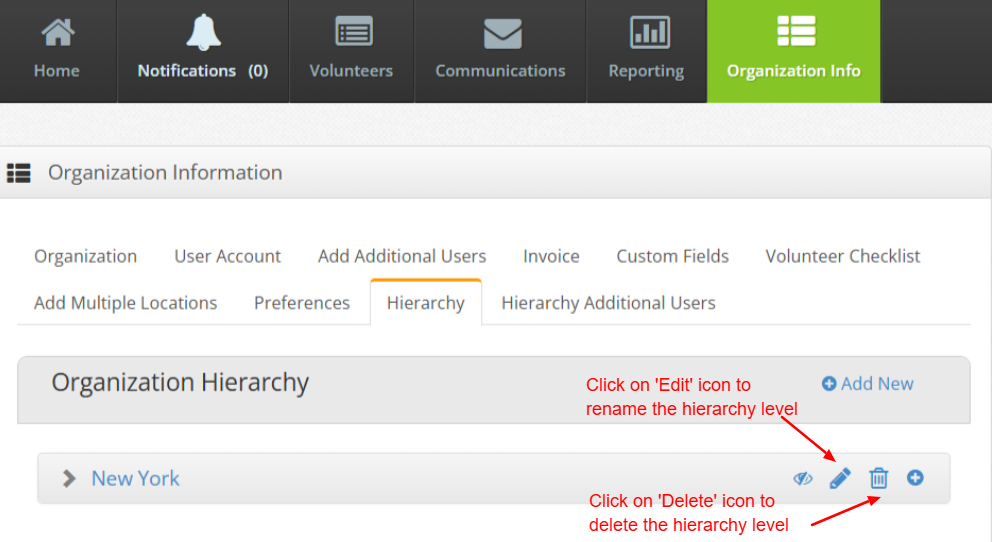
Click on the ‘+’ icon to add a new level under the selected level of the Hierarchy
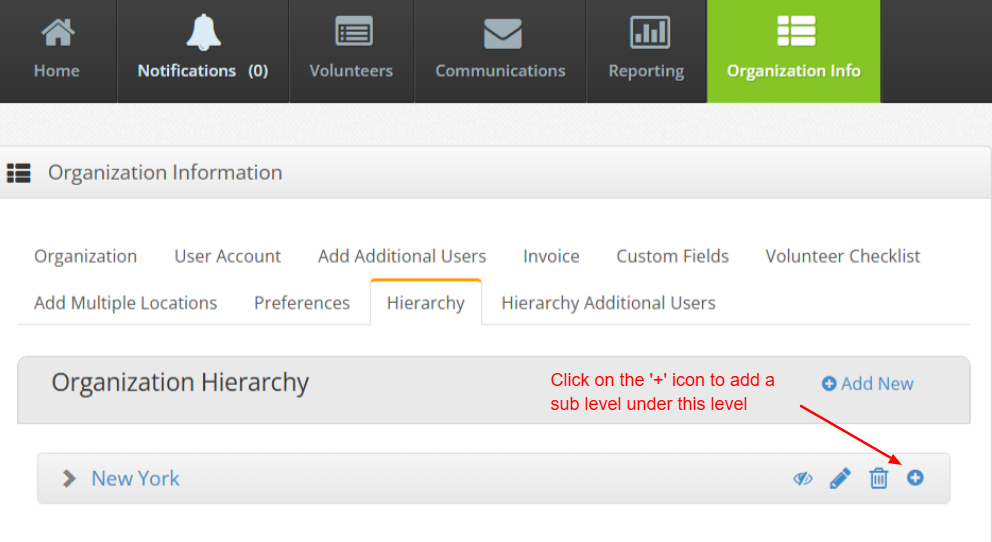
Add the details of the sub-level and save it.
We can create a hierarchical structure of multi-levels for an organization, as shown in the figure below.